 Sweepnook Exam signal monitor
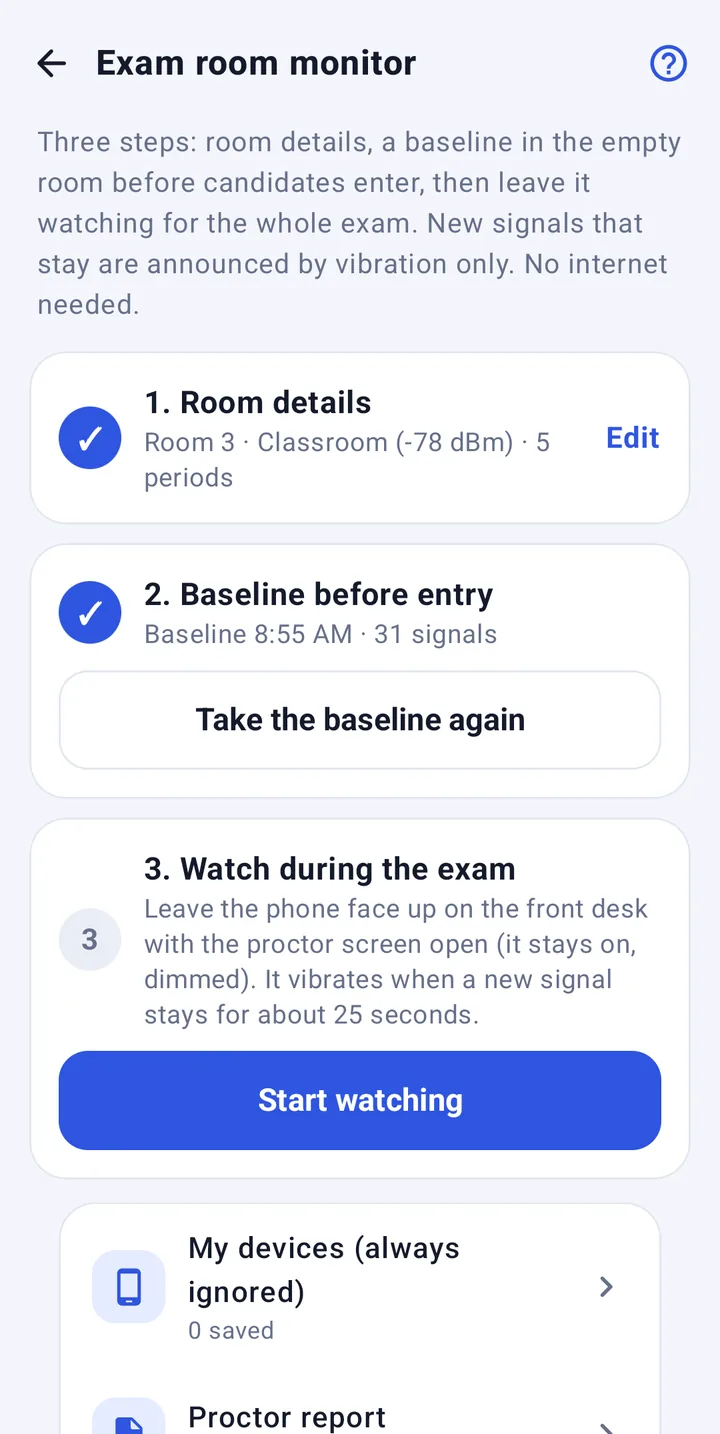
Take a baseline
Before anyone comes in, leave the phone on the front desk for 60–90 seconds. Lights, projectors and the school Wi-Fi become "already here".
Radio monitoring for exam proctors
Before candidates arrive, Sweepnook listens to the empty room and saves every Bluetooth and Wi-Fi signal as the baseline. During the exam, if an earpiece, smart glasses or a hotspot appears and stays, your phone vibrates. Quietly.
The iPhone version watches Bluetooth only

Scan with your phone camera to open Google Play
About three minutes before the exam. Almost nothing to do during it.
Before anyone comes in, leave the phone on the front desk for 60–90 seconds. Lights, projectors and the school Wi-Fi become "already here".
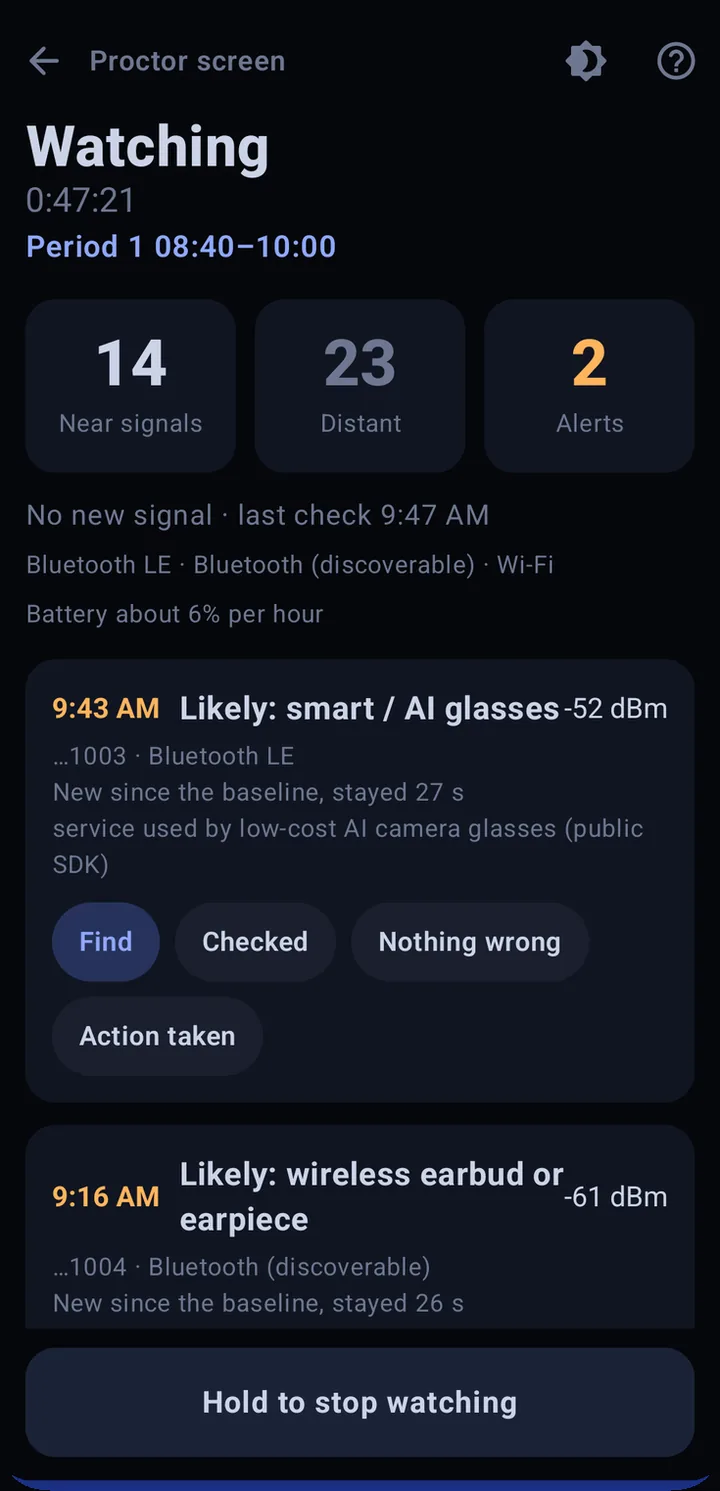
Start watching and leave the phone face up. It keeps listening when the screen dims or turns off, and uses your timetable to tell periods from breaks.
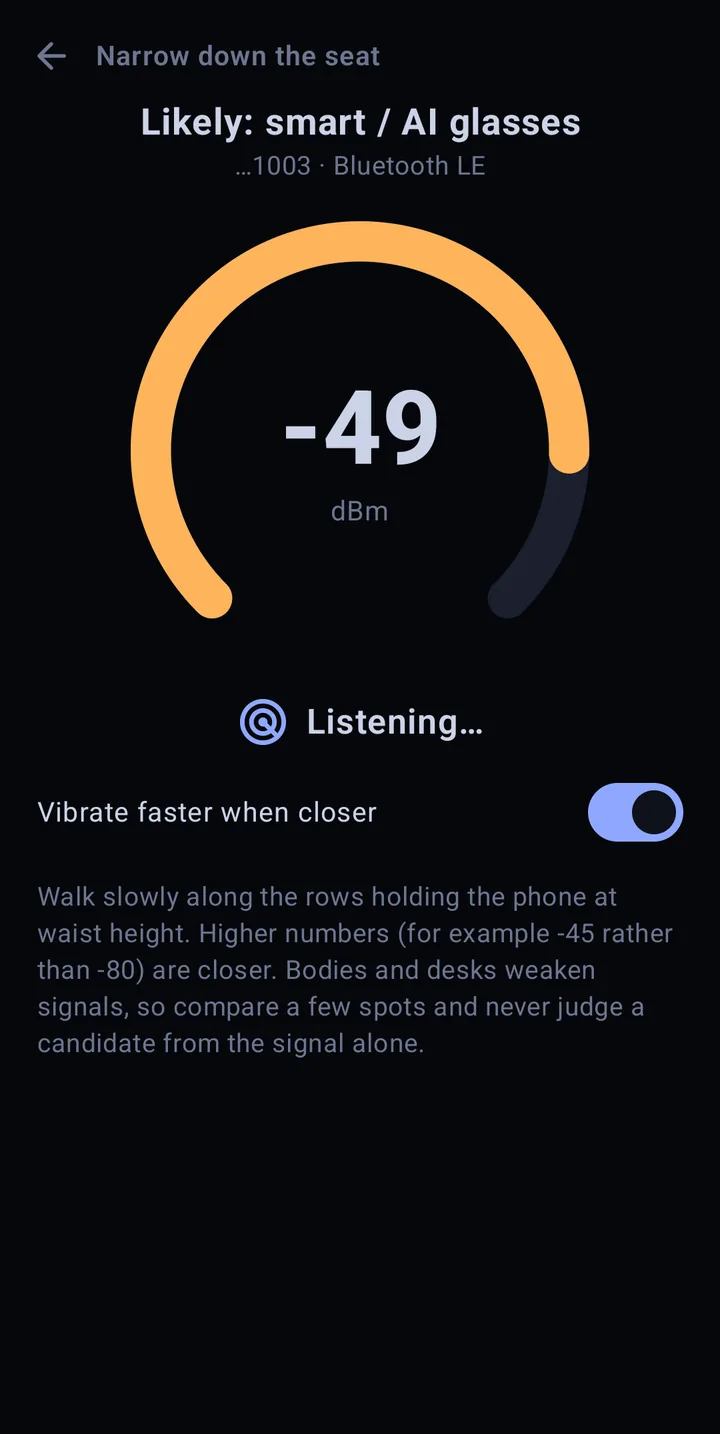
A signal that wasn't in the baseline and stays for about 25 seconds triggers a vibration — no sound. Tap Find and walk slowly between rows; the pulses speed up as you get closer.
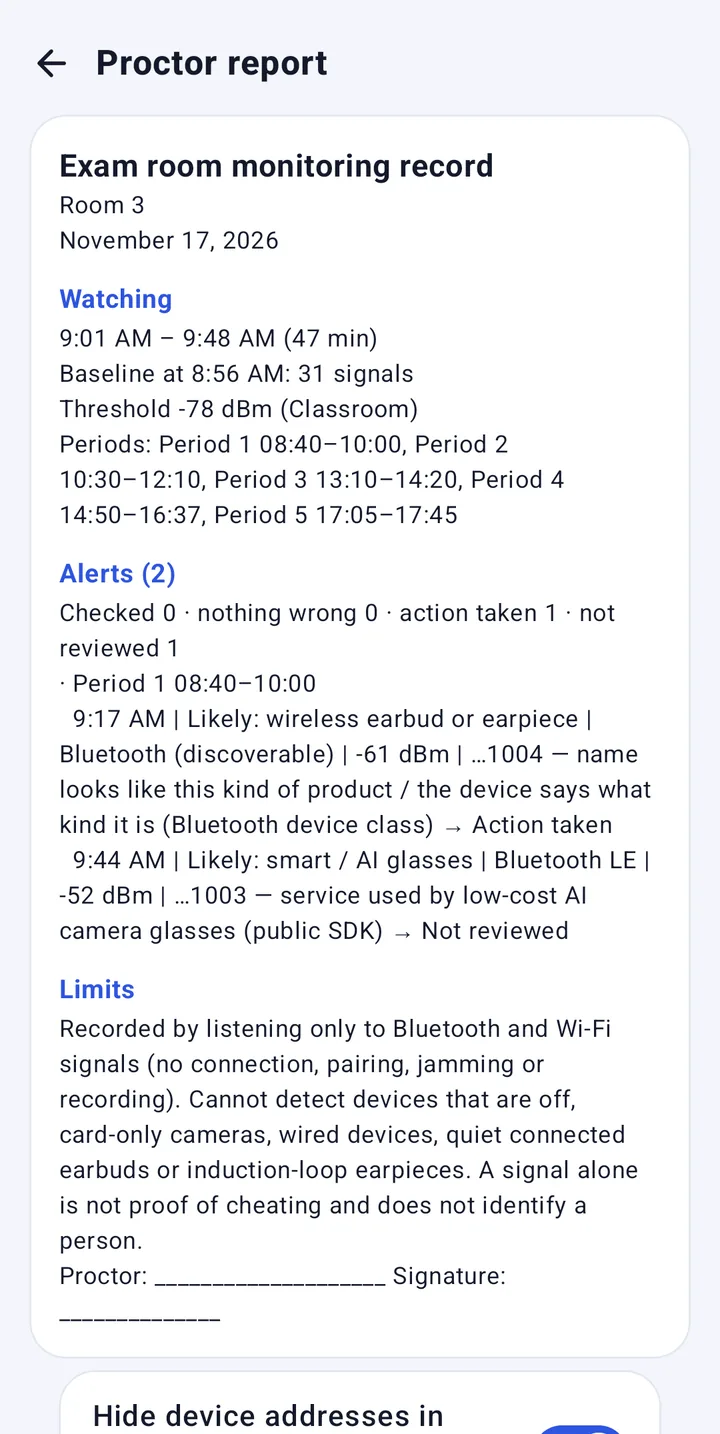
Mark each alert as checked, nothing wrong or action taken. After the exam, save a one-page PDF with times, baseline, alerts and limits. Device addresses can be cut to the last four characters.
On Android, a "Watching" notification stays up and listening continues while the screen is off.
Bluetooth gadgets rotate their address every few minutes. Sweepnook groups signals that look like the same device so it doesn't alert twice.
Save your watch, earbuds or stylus as "my devices" and they never trigger an alert.
Enter the periods and every alert is logged with the period it happened in, or the break.
Times, baseline, threshold, alerts, outcomes, limits and a signature line on one page — ready to attach to an incident form.
Watching and reports need no internet and no sign-up. Records stay on the phone.
From Korean and English to Arabic and Thai, so mixed teams of proctors use the same app.
Outside the exam hall it checks rooms for Wi-Fi cameras, lens glints and infrared.
17 November 2026 · Samsung Galaxy Note10 5G · Sweepnook 3.0.0 · an office with its usual Wi-Fi and Bluetooth devices. "Mock AI glasses" = a PC broadcasting the same kind of Bluetooth signal smart glasses use.
We have not yet run a field test with real AI glasses or a micro earpiece. New measurements will be added here with their conditions.
Sweepnook only listens to radio signals, so its limits are clear-cut. Please pass this table on with any guidance you give proctors.
An alert means "there is a new signal" — nothing more. Never treat a signal alone as proof that a candidate is cheating. Checking and any action follow the proctor's judgment and the exam body's rules.It never jams, blocks or connects to any device.
Five steps on real app screens. Narrated in Korean; the screens are the same in every language.
Pilots and materials: tanzsoft@naver.com · Tanzsoft Co., Ltd. (Korea)
No. It only listens to what nearby devices broadcast on their own. It never blocks radio, connects to or pairs with anything.
No. Baseline, watching and the PDF report all work offline, with no sign-up. Records stay on the phone and are not sent to our servers.
No. It means a signal that wasn't in the baseline has stayed around. It could be your own device, someone in the corridor or the next room. Follow your exam body's rules before acting.
Yes, it is on the App Store. Apple doesn't let apps read Wi-Fi lists, so the iPhone version watches Bluetooth only. Use an Android phone if you also need hotspots.
In our test (Galaxy Note10 5G) the app itself used about 17 mAh per hour. The screen and radio add to that, so for a two- or three-hour exam, keep a charger plugged in.
Rules differ by venue. Sweepnook sits on the front desk and only needs a hand when it vibrates, but get your exam body's permission first.
It records only radio details such as device names and addresses, on the phone. Reports can cut addresses to the last four characters. Uninstalling the app deletes the records with it.